🔍 Make a scan searchable
A scan is a picture of words, not the words themselves. Search finds nothing in it, you cannot copy a line out of it, and a screen reader has nothing to read. Text recognition reads the page and stores what it says alongside the image, so the file stops being a photograph and starts being a document.
Free · No account · Nothing leaves your device
When this helps
Looking for one invoice among hundreds
Search the amount or the company name instead of opening files one at a time.
Copying an address or an account number out of a scan
Select the text on the page rather than retyping it and hoping you got a digit right.
Keeping records you may need years from now
A searchable archive is one you can actually use; an unsearchable one is a drawer.
How it works
- Scan a document, or import a PDF you already have.
- Recognition runs on its own, on the device, as soon as the file is saved.
- Search any word from the Files tab — the match is found inside the page, not just the name.
- Select recognised text to copy it, or export the whole thing as a text file.
A look at it
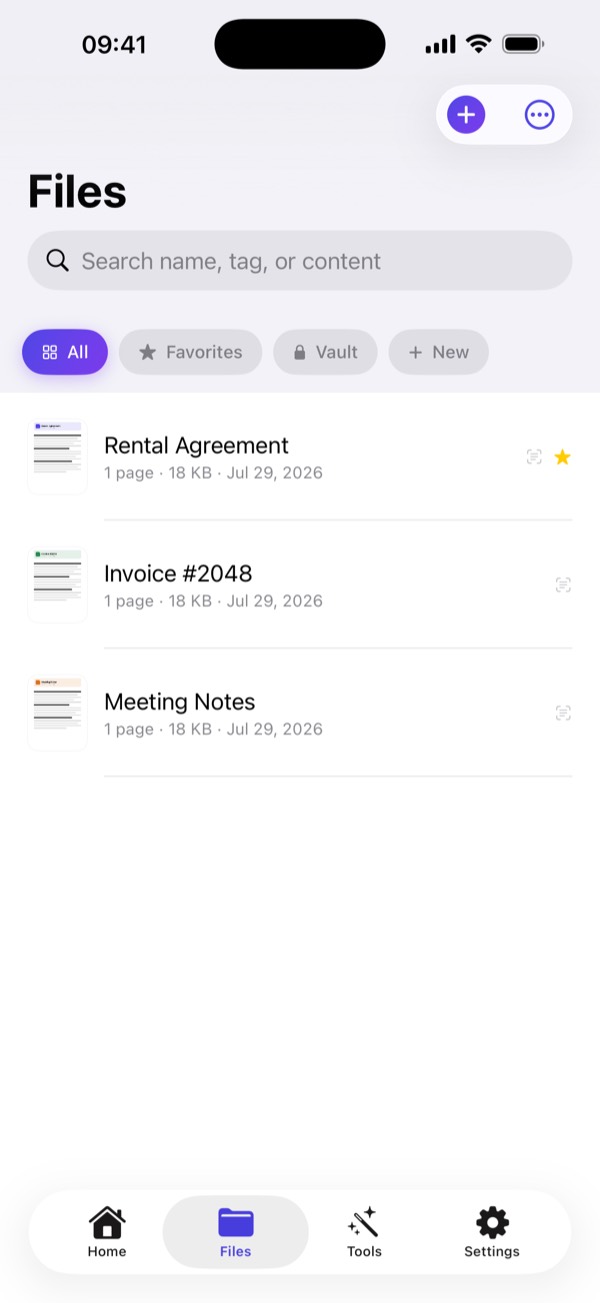
What happens to your file
Recognition uses Apple's on-device engine. The page is never sent to a cloud OCR service, which is where most 'free OCR' tools send documents to be read.
Questions
Which languages does it recognise?
The languages your iPhone supports, including Latin, Cyrillic, Chinese, Japanese and Korean scripts.
Does OCR need an internet connection?
No. Recognition runs entirely on the device, offline.
Does it work on handwriting?
Printed text is far more reliable. Clear handwriting is often recognised; hurried notes usually are not.
Can I search inside a PDF I imported?
Yes. Imported PDFs are recognised the same way as documents you scanned.
More things you can do
Free · No account · Nothing leaves your device